 By Gabriel Andrei Villanueva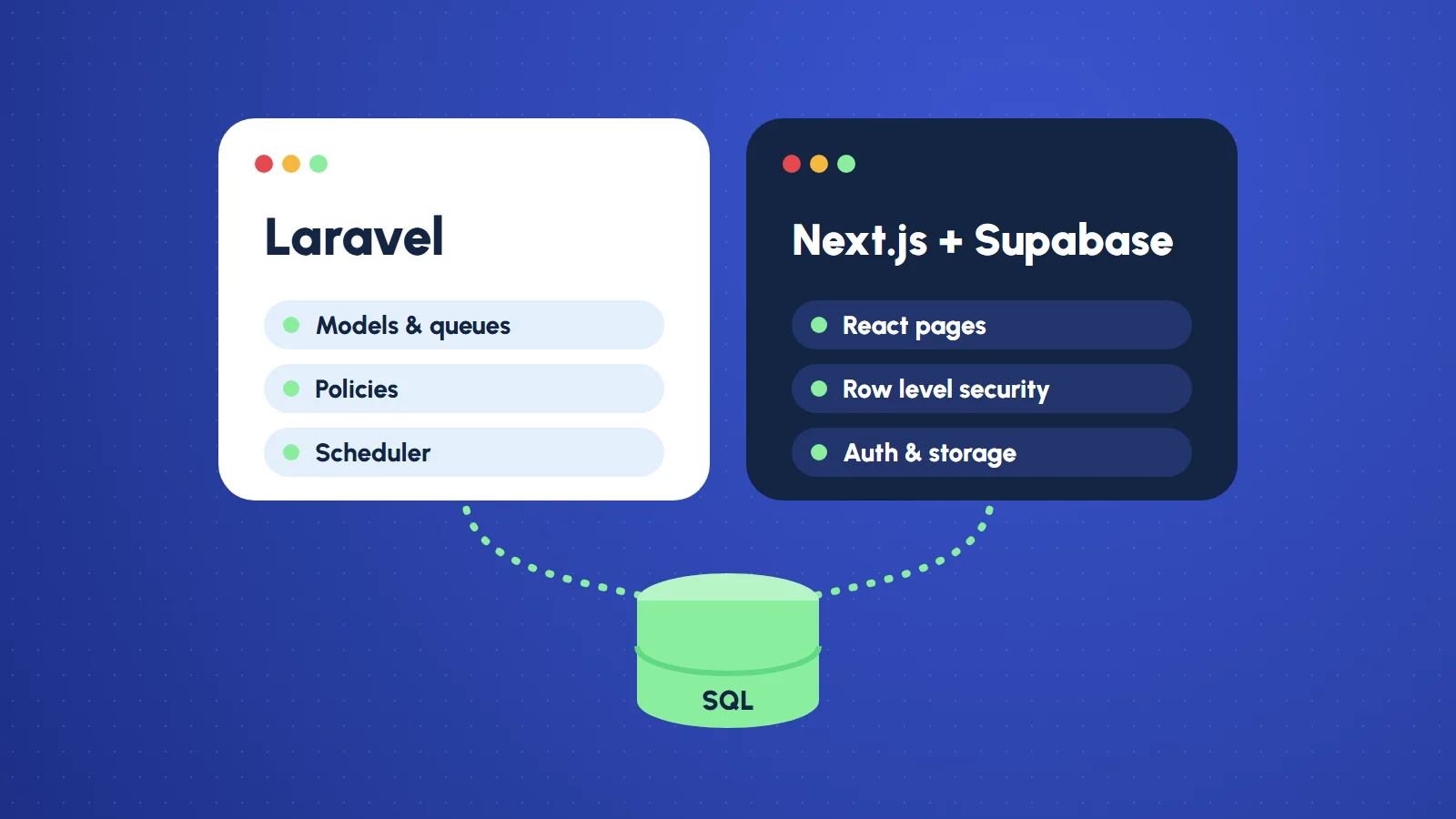
Clients rarely ask which framework I will use. They ask how long it takes, what it costs, and whether it will still work in three years. The stack is my answer to those questions, so I try to choose it for their reasons, not mine.
The two I reach for most are Laravel (PHP, with React or Vue on the front end) and Next.js with Supabase (React on top of a hosted Postgres database with auth and storage built in). This portfolio started life as a Laravel app and now runs on Next.js and Supabase, so I have lived with both versions of the same product. Here is how I decide.
Start with the data, not the framework
The shape of the data tells you more than any benchmark.
- Lots of business rules around the data (orders that move through states, invoices, permissions per role, scheduled jobs, reports): Laravel shines. Eloquent models, queues, policies and the scheduler are mature, and the logic lives in one obvious place on the server.
- Mostly content and simple records (pages, projects, posts, a contact inbox, user profiles): Next.js with Supabase gets you there faster. Postgres with row level security handles the rules, and storage and auth are already wired up.
Both use a real relational database underneath. That matters more than the framework: a clean schema survives a rewrite; a messy one follows you into every stack.
Who edits it, and how
Almost every client site needs an admin. In Laravel I build it as part of the app, with the same models, validation and permissions as everything else. With Supabase, the admin is a set of protected pages in Next.js that talk to the database, and the database itself enforces who can read and write what. Either works. The question is which one the next developer will understand at a glance, and that usually comes down to the next question.
Who maintains it after launch
A project outlives its first build. If the client already has PHP developers, or hosting that runs PHP well, Laravel is the kind choice. If their team writes JavaScript, or they want to deploy to a platform like Vercel without managing a server, Next.js and Supabase remove a whole layer of operations: no server to patch, database backups handled by the provider, auth they did not have to write.
Where it runs, and what it costs to keep running
- Laravel wants a server or a managed PHP host, a queue worker if you use jobs, and someone who knows how to keep them healthy. In return you get full control and predictable costs.
- Next.js with Supabase splits into a front end on a hosting platform and a managed backend. Small projects often fit in free or entry tiers. The trade is less control and pricing that grows with usage.
Speed for visitors
Either stack can be fast or slow; it depends on how you build it. Next.js makes it easy to pre-render pages and serve them from the edge, which suits content sites. Laravel with good caching is just as quick for most business sites. The biggest wins are the same in both: small images, few fonts, little JavaScript, and a database that is not queried fifty times per page.
Laravel vs Next.js with Supabase at a glance
| Laravel | Next.js with Supabase | |
|---|---|---|
| Best for | Heavy business logic: orders, invoices, roles, scheduled jobs, reports | Content-led sites: pages, projects, posts, profiles, a contact inbox |
| Where the rules live | Models, policies and controllers on the server | Row level security policies in the database |
| Admin | Built into the app with the same models and validation | Protected Next.js pages, with the database enforcing access |
| Auth and file storage | Built with Laravel’s own tools | Included with Supabase |
| Background jobs and reports | Mature: queues and the scheduler | Harder; needs extra services |
| Hosting | A server or managed PHP host, plus a queue worker | A hosting platform for the front end and a managed backend |
| Running cost | Predictable; you control the server | Small projects often fit free or entry tiers; grows with usage |
| Team fit | PHP developers | JavaScript developers |
What I learned moving this portfolio
Rebuilding this site from Laravel to Next.js and Supabase taught me a few things worth passing on:
- Port the behaviour, not the code. Listing what each page and form actually does made the move far smoother than translating files one by one.
- Security moves into the database. With Supabase, row level security policies replace a lot of controller checks. Write them first and test them, because a missing policy is an open door.
- Secrets stay on the server. The public key is meant to be public; the service key never leaves the server. Mixing those up is the most common mistake I see.
- Some things got simpler, some did not. Auth and file storage became almost free. Server-side jobs and complex reports are still easier in Laravel.
My rule of thumb
Heavy business logic, a PHP-friendly team, or a need for full control: Laravel. Content-led site, a JavaScript team, or no appetite for running servers: Next.js with Supabase.
And when it is genuinely close, I pick the one the client’s future developer is most likely to know. The best stack is the one that is still easy to change after I have handed it over.
Weighing this for your own project? Tell me what you are building and I will give you an honest recommendation, even if the answer is “keep what you have.”
Common questions
Is Laravel or Next.js better for a business website?
Neither is better in general. Laravel suits projects with a lot of business rules and a PHP-friendly team; Next.js with Supabase suits content-led sites and teams who write JavaScript and do not want to manage servers.
What is Supabase?
Supabase is a hosted PostgreSQL database with authentication, file storage and row level security built in. Paired with Next.js, it replaces the backend you would otherwise write and host yourself.
Is Supabase secure enough for a client site?
Yes, when every table has row level security policies that are written and tested, and the service key never leaves the server. A missing policy is an open door.
Can an existing Laravel site be moved to Next.js and Supabase?
Yes. This portfolio was rebuilt that way. List what each page and form does and port that behaviour, rather than translating files one by one, and keep the database schema clean.